Guide to Editing Docs
As you may be able to notice, this docs site is completely open source and free to edit on GitHub. You can see the GitHub page for this site at https://github.com/impstation/imp-docs.
If you want to get an idea of what features are at your disposal when writing documentation, go to the Docs Example Page.
Contributing to this Wiki
Some pages might have typos, out-of-date information, or other minor errors. For correcting these you can use GitHub's web editor, although larger scale changes will probably require you to build the wiki locally and test that it loads.
If you just want to make a basic edit of an existing page, simply follow these steps:
-
Create an account on GitHub, or log in if you already have one.
-
Fork the impstation/imp-docs repo on GitHub. (Yes, I know it's the wrong link in this image. I don't want to get a new image.)

- Click the 'Edit Page` button at the very bottom of any page on this site.

- Click the 'Edit this file' button at the top right of the file view.

- Make your changes, then commit & create a pull request!
Building and Testing Locally
If you want to locally build the docs, you'll need to download Node.js version 20.0 or above (which can be checked by running node -v).
To build, cd into the root of the directory and run npm run start to locally host the documentation at localhost:3000. You should now be able to visit this URL in a web browser for a live preview of your changes!
You can also use the commands npm run build and npm run serve to build your docs locally. The advantage of building before using npm start is that you'll be notified if the site can't build for whatever reason. For example, if you have broken links on some of your pages, Docusaurus will let you know!
The easiest way to preview markdown outside of building the entire site is to use a local markdown previewer extension for something like VSCode. If you've made a PR to GitHub, you can also preview your markdown files in the PR's Files Changed tab. There are also plenty of web-based markdown editors- don't be afraid to have a google!
Making a Pull Request
There aren't really any pull request guidelines to worry about. I (mqole) manually review all pull requests, so if there's an issue, I'll let you know.
One thing your PR does need to do before it can be merged is to pass GitHub's tests. You can tell that tests have passed by looking for a little green checkmark next to the commit information. If tests fail, you'll see a red cross. Here's an example of a few commits where tests have failed, followed by a final commit where tests have passed:
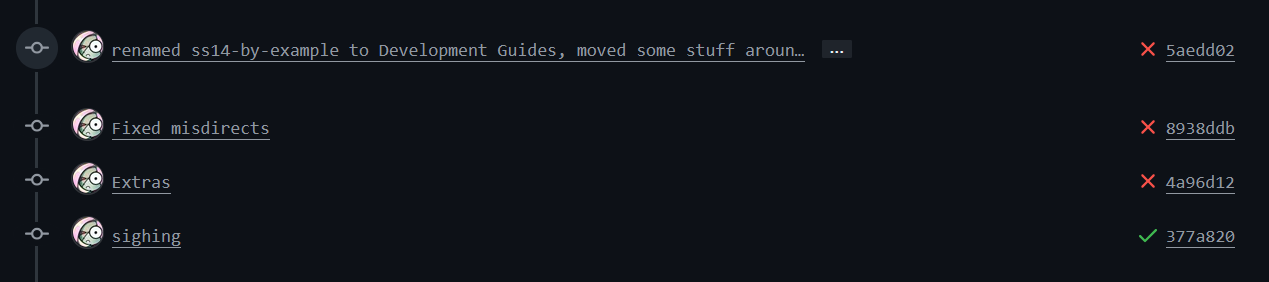
To get information on why a test has failed, you can click on one of these red crosses, and click Details on the pop-up you'll see to be taken to a page that looks something like this:
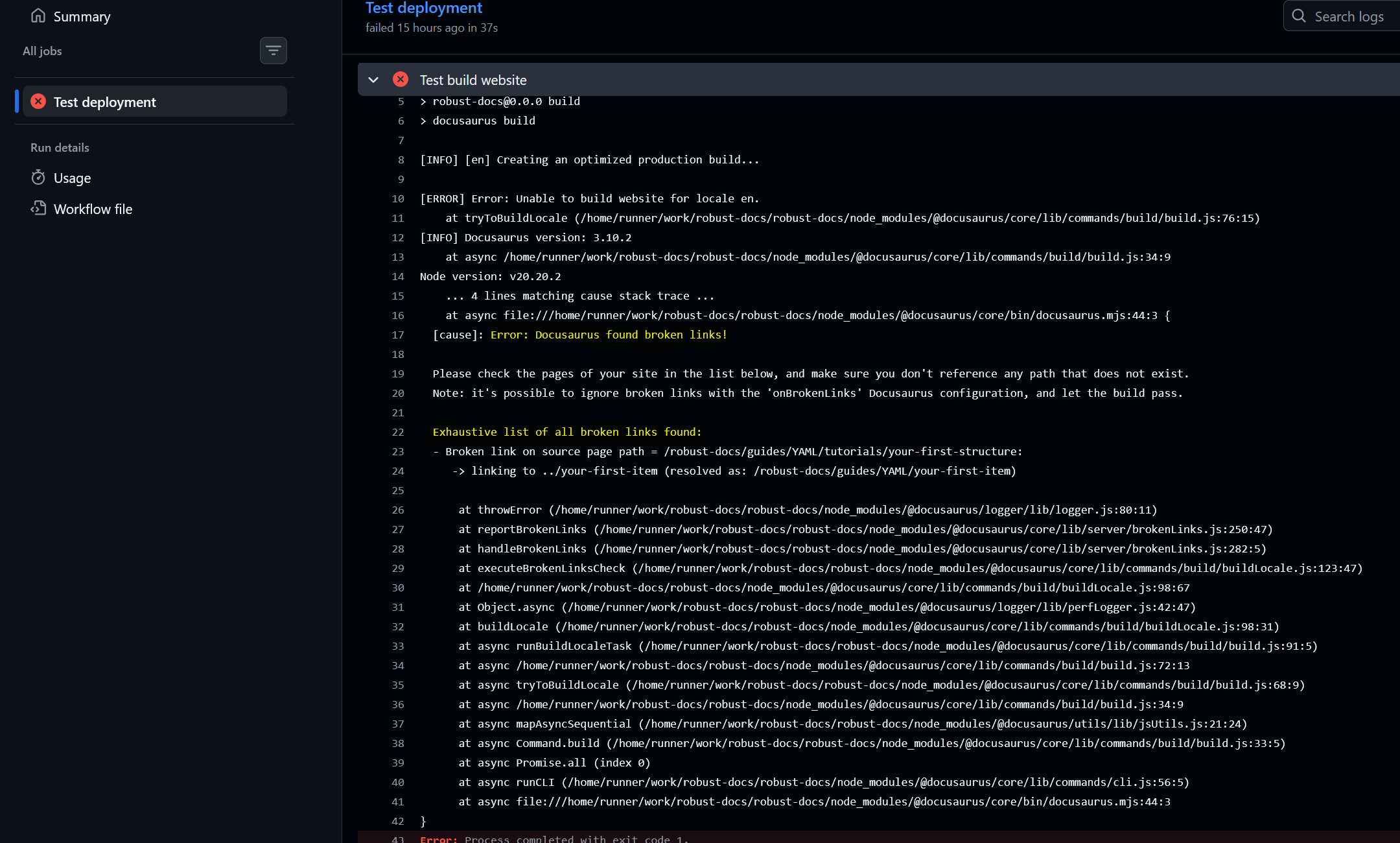
There's a lot of text here, but the important bits are highlighted. Here we can see that the test has failed because there's a broken link somewhere on a page, specifically the page at /robust-docs/guides/YAML/tutorials/your-first-structure which wants to link to a page it can't find (/robust-docs/guides/YAML/your-first-item).
It can sometimes be a bit tricky to figure out exactly why a test has failed, but it gets easier with practice. Never be afraid to ask for help!